
Everything Track-TP keeps under control.
Track-TP brings monitoring and alerting for your infrastructure together in a single platform: from low-level protocols like SNMP (Simple Network Management Protocol) and syslog, up to the dashboards that keep network devices, electrical stations, and other complex systems under control.


Six checks on the network, always on.
Track-TP continuously verifies your devices’ network presence and telemetry and stays listening for traps and syslog messages: every event is logged, evaluated against the alarm rules, and kept in the history.
Network presence
Automatic ICMP checks at a configurable interval. Every online and offline transition is logged with a timestamp and can raise an alarm.
SNMP telemetry polling
Periodic reading of device OIDs via SNMP v1, v2c, and v3, stored in the history and evaluated against your alarm rules.
Inbound SNMP traps
A built-in receiver on UDP port 162 takes in v1 and v2c traps, matches them to the manufacturers’ alarm tables, and logs every event.
Inbound syslog
An optional syslog server (RFC 5424 and RFC 3164) collects messages from enabled devices, for diagnostics and after-the-fact reviews.
Per-channel monitoring
Multi-channel devices, such as radio repeaters, are monitored down to the single channel, with an alarm when the link is lost and an automatic clear on recovery.
Per-port traffic
Reads the traffic counters of every port on switches, routers, and radio links (IF-MIB, 64-bit counters), with per-port historical charts on the device page.
Every alarm has a threshold, a priority, and an owner.
Rules turn telemetry, traps, and status changes into alarms, and every alarm is tracked from creation to resolution.
- Thresholds with comparison operatorsYou can define conditions per device or sensor on numeric, text, or date values.<≤=≥>
- Three priority levelsEvery rule assigns the priority with which the alarm appears in the queue and in notifications.informationalwarningcritical
- Resolution trackingEvery alarm records who resolved it, when, and why, with the event history.
- Notification delayA per-device configurable delay prevents notifications for transient events that clear on their own.
- Maintenance modeDuring planned work you can mute a device without losing visibility of what is happening.
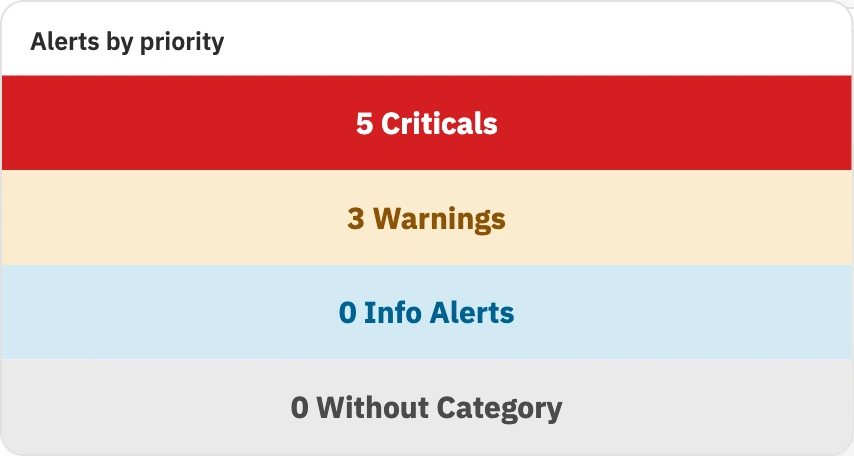
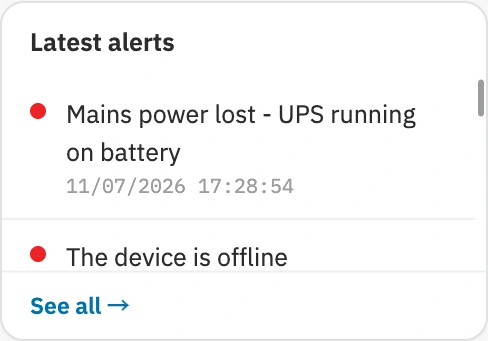
The same alarm, in five ways.
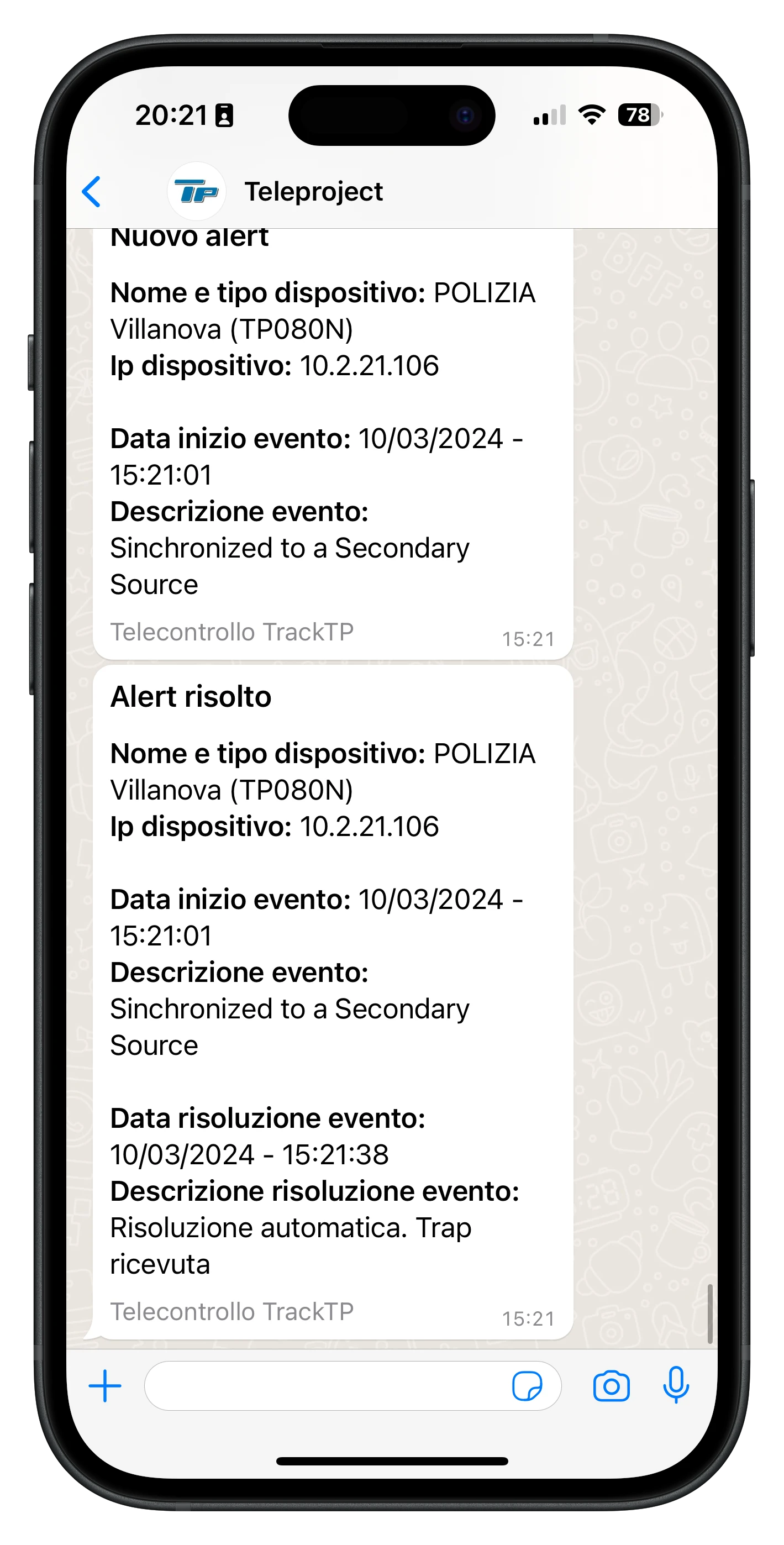
When an alarm fires, Track-TP delivers it where you already work. Everyone chooses how to be reached, and notifications respect priority, notification delay, and maintenance mode.
- Emailtemplate-based transactional messages, with the alarm and device detail
- Telegramformatted messages sent via a bot to subscribed chats
- WhatsAppmessages based on approved templates, via the official Meta Cloud API
- SNMP trapalarm forwarding to your existing NMS
- In-appreal-time notifications via WebSocket, without reloading the page
- Time windowseach user can receive notifications only during the hours they set, for example during an on-call shift
The view each operator needs.
Custom dashboards with a drag-and-resize grid, 13 widget types, interactive maps, and free-form network topology diagrams.
Each control room’s view is built on a drag-and-resize grid with 13 widget types, from device tables and single-device panels to alarm summaries and text.
Geolocated devices and sensors with icons by type, marker clustering, geofences, routes between sites, and multiple map themes.
Sensor tables and charts alongside the network widgets: LoRaWAN sensor readings and device telemetry live together on the same dashboard.
The interface switches from light to dark theme with one click: at the desk by day, on the control-room video wall by night.


The data history, for analysis and audits.
Measurements don’t just stay on screen: they are stored, tracked, and can be exported for reporting.
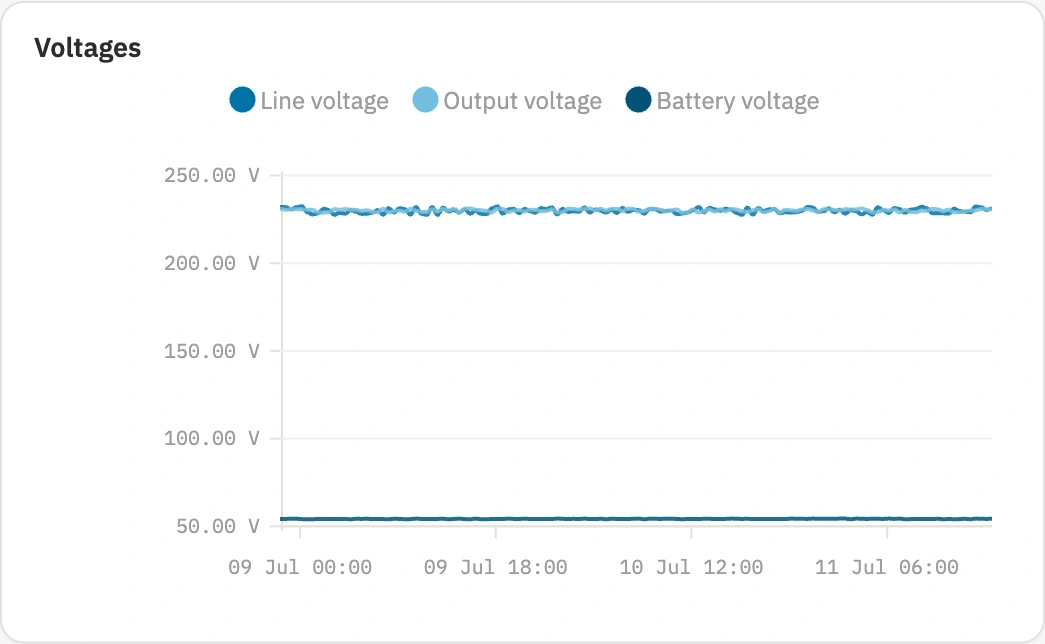
Track-TP stores the history of every measurement and keeps it for as long as you decide. Historical charts show how metrics trend over time, Excel export brings the data into your spreadsheets, and the audit log documents every configuration change. Learn more in Data and security.
- Storage
- History of device and sensor measurements
- Export
- Excel file (.xlsx) with a date-range filter
- Retention
- Configurable, separate for telemetry and syslog
- Historical charts
- Trend over time of sensor and device metrics
- Audit log
- Who changed what and when, for every configuration
Roles, groups, and administration.
Three roles define who can do what, and the way devices are organized follows the structure of your network.

- Role-based accessThree roles with distinct permissions: Administrator, Operator, and Viewer. The details in Data and security.
- Device groupingYou can organize devices by site, region, or function. The same device can belong to more than one group.
- Excel importThe device fleet loads in bulk from an Excel file, with no manual entry; radio repeater configurations import and export too.
- Global searchFrom any page, a single search (⌘K) finds devices, sensors, and alarms by name, IP, or identifier.
- Multilingual interfaceThe interface is available in 6 languages: every team uses it in its own.
- Secure API keysA dedicated key for every device integration and for webhooks. See Integrations.
Go deeper, page by page.
Every group of features has its own in-depth page, from integrations to data security.
- 01
Track-TP overview
The platform in brief: architecture, protocols, and interface.
- 02
Integrations
SNMP, syslog, REST API, and ChirpStack webhooks.
- 03
Supported devices
Over 50 device models from various manufacturers, plus LoRaWAN sensors.
- 04
Alarms and notifications
Threshold rules and notifications via Email, Telegram, WhatsApp, SNMP trap, and app.
- 05
Dashboards and maps
Dashboards with 13 widgets and a real-time interactive map.
- 06
Data and security
History, export, data retention, roles, and an audit log.
Your whole network under control.
In a single platform.
Together we map the devices and sensors to supervise, size any LoRaWAN network, and choose between cloud and on-premises. Design, installation, and technical support handled directly by Teleproject.